Friday, October 26, 2007

How (and why) to hide your webpages from search engines

There are two main reasons to hide some of your webpages from Search Engine Results Pages (SERPs)
  1. You have information that you do not want turning up in search results: private data, family pictures, coupon codes, limited offers, test/demo pages, etc.
  2. You have duplicate content: landing pages for e-mail campaigns, highly-templated pages, etc.
Extensive duplicate content will hurt your search engine rankings. Search engines are looking for relevant pages. Duplicate content reduces your relevancy. There are two ways you can fix this:
  1. Use the robots.txt exclusion file to tell the search engine spiders crawling your site not to index particular pages or folders
  2. Add appropriate metatags to your pages which will then tell search engine spiders to exclude those particular pages from their results
Creating the robots.txt file is generally more efficient than crafting individual metatatags. Information on how to properly create your robots.txt file can be found here. Remember to create only one file for your website.

You may chose to use the metatags if you do not have the ability to upload files to the root of your webserver (for example pages on a shared site like Yahoo! Geocities). The code you should use is:


This code should be pasted into the content of your HTML.

Wednesday, October 24, 2007

Featured in the Sun-Times

Sandra Guy wrote a nice feature in the Chicago Sun-Times that covers some of the podcasting and vodcasting work we have been doing to enhance our College of Commerce MBA courses at DePaul University. We still have plenty of work to do but it is gratifying to get exposure like this.

Not mentioned in the article is the IDD (Instructional Design and Development) department here at DePaul. IDD helped us create greenscreen introductions for staff and faculty. They do great work.

I cover some of the podcast/vodcast creation process in the Practical Internet Marketing Certificate Program.

Guests and prospective students can view some of the DePaul vodcasts by going to DePaul’s iTunes U site. Here is a direct link that should get you in to see our videos.

Tuesday, October 23, 2007

Podcasting…From Music To Marketing Success

A little bit of shameless self-promotion:

I will be presenting a short session on podcasting (Podcasting…From Music To Marketing Success) for the CADM’s 8th Annual Bob Stone Education Day. This will take place on Wednesday, November 7, 2007. I will be presenting from 9:00 a.m. until 10:15 a.m. but the event will be all day.

The presentation should be fun. I am looking forward to participating.

Online registration is available at https://www.cadm.org/EventSignup.cfm

Thursday, August 16, 2007

CADM: Social Networking Communities

The CADM (Chicago Association of Direct Marketing) will be presenting a Second Wednesday Event titled "Social Networking Communities: A Market of One, A Market of Millions" on Wednesday, September 12, 2007 at Petterinos Restaurant (50 West Randolph Street, Chicago)

More information can be found on the CADM website.

"Social networking is not just for placing banner ads anymore. If used properly and creatively, it has the potential to be one of the most cost-effective, dynamic, and targeted tools for marketers. Not all social networking sites are created equal, though. Learn how to find your target customers and influencers and discover the ways to communicate with them using the many resources social networking communities present."

More People Search Engines...

Wikipedia Strategies

If you are using the Internet to market your services (or that of your company) you are going to have to come up with a Wikipedia strategy at some point. Google’s search engine results favor Wikipedia quite heavily. You will find that your customers use Wikipedia to form a view of how you operate.

So what do you do when you discover that articles on Wikipedia present you in an unfavorable light, or are factually wrong?

Here are some articles that present suggestions for the appropriate course to follow:

Thursday, August 09, 2007

Spock: Search engine for people

Spock, a search engine for finding people has launched in beta form today. The site is a little slow – which is a shame (and probably a very bad business decision). Users have a high level of expectation on the Web. If a site is uncomfortably slow then users are unlikely to return unless they really, really need to.

It will be interesting to see how the engine compares with ZoomInfo, ZabaSearch or even LinkedIn.

And why did they decide to use the name Spock?

How to hide your e-mail address from spam bots

If you are sick of spam bots harvesting your e-mail address from your websites and then sending you unsolicited mail (and who isn’t) then this resource that Wired has put together may be of use to you.

The article (and the user comments) present some options for obscuring your e-mail address from spam bots (the automated programs that scrape your e-mail address from the Web). Well worth checking out.

Monday, August 06, 2007

FTC Online Advertising Town Hall

The FTC will host a two-day Town Hall to bring together consumer advocates, industry representatives, technology experts, and academics to address the consumer protection issues raised by the practice of tracking consumers’ activities online to target advertising.

The event will be held November 1-2, 2007 at the FTC Conference Center at 601 New Jersey Avenue, N.W., Washington, DC. It is free and open to the public.

More information can be found here.

Gina Gershon Viral Marketing

Tuesday, July 24, 2007

CADM: Traditional Techniques in an Online World

The CADM's Interactive Marketing SIG (Chicago Association of Direct Marketing’ Interactive Marketing Special Interest Group) will be holding an event on the evening of July 26th (this Thursday).

SIG members can still register for $49.

"Traditional Techniques in an Online World", the event (held from 5:30 p.m. - 8:30 p.m.) will feature 5 senior-level panelists from both the online and traditional channels. They will lead a lively discussion about the similarities and differences that exist between the Direct & Interactive marketing worlds. More details, including a list of the speakers and some
of the topics they will be focusing on, can be found here.

"Traditional Techniques in an Online World" will take place at Fulton's on the River, located in downtown Chicago.

Thursday, June 21, 2007

Sucessful Blogging To Increase Winery Sales

This month’s Baseline Magazine (June 2007, Issue 073) has a fascinating article entitles “Winery Blogs To Turn Browsers Into Buyers.“ The article charts how Stormhoek (a South African Winery) used blogs to promote their wares as they entered the U.S. market.

In typical Baseline fashion there are hard facts and graphs amongst the insight and quotes.

The technologies that Stormhoek used are:

The article mentions two downsides to the blogging strategy:

  1. Substantial increase in spam to Stormhoek’s website

  2. Risk of negative comments from customers

Overall Stormhoek was extremely happy with the end results. An article well worth reading.

Thursday, May 10, 2007

Seventeen Best Practices for (ethical) bulk e-mail

There are good (and ethical) reasons for you to send bulk mail. You might have a newsletter that your subscribers actually want to receive and read each month. However, there are people who send bulk e-mail for unethical reasons. You want to ensure that you follow best practices to avoid antagonizing your customers or being incorrectly identified as spam.
Here are some general guidelines that you may wish to follow:

  1. Only send e-mail to someone who has provided you with an e-mail address. Never buy e-mail addresses. (who knows how these e-mail addresses were obtained). If you need to build up a distribution lists you can get third parties to send on your behalf (the recipients of these e-mails have either signed up for this service or are content to see appropriate adverts within their mail).

 Ensure you validate an e-mail address (confirmed opt-in) before sending out e-mails. As part of this process you should let your subscribers see examples of the type of mail they will be receiving.


    Let your subscribers understand:

    • The volume of mail they will receive.

    • The schedule. When you will send e-mail. How often you will send e-mail.

    • Where archived mail is kept. Ideally your website will have an archive of older newsletters. You can always password protect this resource if you need to.


  2. Test your e-mails against a spam filter before you send them. One options is:


  3. Always provide an easy way to unsubscribe. Record unsubscription requests (a good practice is to note the time and day the request came through). Process unsubscribe requests immediately.

  4. Always provide your physical address (and perhaps an e-mail address and telephone number) in all mail that you send. This information has to be on your website as well..

  5. Always send your e-mail from the same e-mail account. Ask your subscribers to add this e-mail address to their address book or whitelist.You are aiming to be trustworthy and reliable. Never use this e-mail account for anything other than the subscription service.

  6. Use a generic e-mail account rather than a personal account (“news” rather than jmoore”). Your employees will change, “news” does not...

    • Segment your accounts if you can (and give your audience to sign up for the particular e-mails they want to receive):

      • News

      • Special offers

      • New products

      • Support


  7. Spell check everything you send. Look through your message for grammatical errors.

    • The person who checks your e-mail is not the person who writes your e-mail. Try reading aloud to make sure everything makes sense and sounds good.

    • Allocate plenty of time for revisions. Your audience will appreciate a well-crafted message.

    • Stress does not focus the mind. Make sure you have a peaceful environment to work on this.


  8. Validate any HTML in your message. Simple code is best. Remember some of your audience will be reading mail on mobile devices.

  9. If you send an HTML message make sure to provide a text-only version. Modern e-mail readers will distinguish between the formats

    • Use HTML to track message delivery.

    • Use HTML to tracks clicks.

    • Use HTML to provide alternative landing pages.


  10. Provide a subject line that clearly identifies the content of your message. Examples are

    • “Acme Corp: New products for July”

    • “Manifold Store: 10% off skin products this month”

    • “Event Architects: 5 tips for planning your staff retreat”

    • “Prairie Title: Recent changes to Illinois law”


  11. Keep your message short and focused.

  12. Schedule your messages and keep to the timetable.

  13. Ask your audience to add your e-mail address to their whitelist or address book (it is a good idea to ask this twice).

  14. Remove bouncebacks immediately from your distribution list. Bouncebacks are e-mails for which the recipient cannot be found. You may want to record bounceback e-mails in a separate database.

  15. Provide a simple way users can sign up for e-mail newsletters on your website.

    • Name, e-mail address

    • Send confirmation e-mail to validate subscription (double opt-in)


  16. Create a simple and understandable privacy policy. Make sure you promote your privacy policy. Make sure you follow your privacy policy.

  17. Check the bulk mail policies and guidelines of ISPs:


Wednesday, February 21, 2007

Child-Friendly Search Engines

Many parents (and teachers) typically have difficulty configuring and installing Web filters on computers that are going to be accessed by children. Typically the children have a better handle on how to administer the PC. However, parents are frequently on the look for search engines that are child-friendly. These are search engines that filter out objectionable material and provide a cheerier interface.

I don’t have any recommendations that I think are perfect but here are some options to investigate if you are uncomfortable leaving you child on Google.

Monday, February 12, 2007

Yahoo Pipes


For those of you who are fans of the mash-up and RSS Yahoo presents Yahoo Pipes. This looks to be an interesting (and relatively painless) way of combining data feeds from various websites into something new.

To make life easier Yahoo Pipes provides you with a visual editor.

It is interesting to see Yahoo ahead of Google here.

Sunday, December 17, 2006

Wengovisio


WengoPhone has released a new software tool that allows you to embed Internet telephony into your webpage. With a tool like this you can allow your audience/customer to click on a “talk to a agent now” button on your website (providing they have a microphone and speakers on their PC).

Looks interesting….

Installation files and more information can be found on the Wengovisio website.

Thursday, November 30, 2006

Fake Your Space

I spotted this on Slashdot – for just shy of a dollar a month you can add fake friends to your MySpace or Facebook account. Very scary…. or just a joke site.

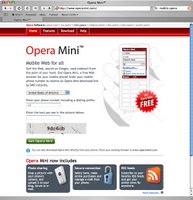
Opera Mini


Opera (makers of fine Internet browsers) released version 3.0 of their Opera Mini Browser. I have been experimenting with the new version on my mobile telephone and am very impressed with the results. Opera Mini manages to make surfing the Internet on your ‘phone a more pleasant experience by utilizing a proxy server to pre-process data for you. The end result is smaller downloads and faster page updates.

One of the clever features that Opera has developed is content folding. Long lists (such as navigation elements) have been shrunk and hidden behind a “+” button. Just click on the element to toggle hide/display. This reduces clutter on small screens.

Palm users on Slashdot and other forums have indicated that the software has some flaws on some devices but my experience has been good. I was even able to access MySpace.

The mobile Internet has not really taken off in the United States, hopefully that will change. Opera Mini runs on a multitude of telephones (including some very old models) and installation is quick and painless. If you have a website that you think mobile users might access you would do well to download Opera Mini and test your site.

Wednesday, November 29, 2006

Google Apps for Your Domain


Google has just launched Google Apps for Your Domain. The service offers:

  • Start page- Users can access email, calendar, news, weather and more in a single place.
  • Email - 2 gigabytes of storage and search tools that help your users find information fast. Instant messaging from right inside their accounts.
  • Chat - Users can call or send instant messages to their contacts for free – anytime, anywhere in the world.
  • Calendar - Users can organize their schedules and share events and calendars with others.
  • Domain web pages - Administrators can create simple web pages and publish them to your domain.

These are services that Google has offered in the past but the interesting angle is that Google now allows you to use your domain (rather than xxx@gmail.com). So far the service is free but I get the impression that this may grow into a revenue stream for Google.

Well worth investigating.

Tuesday, November 28, 2006

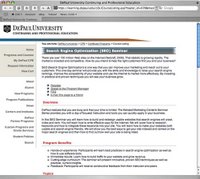
Search Engine Optimization (SEO) Seminar


I am presenting a Search Engine Optimization (SEO) Seminar at DePaul University on Friday, March 16, 2007. The registration page has just gone live and we are waiting to see what the interest is.

I will be writing the content shortly and the featured topics will include:

  • Major search engines (such as Google, Yahoo and MSN)
  • How search engines and directories work
  • The importance and use of keywords and key phrases
  • Search engine terminology and jargon
  • How to get search engines to index your websites
  • How to check how search engines are indexing your site
  • How to implement and use website statistics
  • Best practices writing for the Web
  • HTML coding best practices (including appropriate use of meta tags, keywords, alt text, anchor text, robots.txt, naming conventions and semantic organization)
  • Inbound links
  • Linking strategy
  • Blogging
  • SEO strategies to avoid
  • Paid search (pay-per-click, Google Adwords, etc.)